Adding an affiliate network to Binom
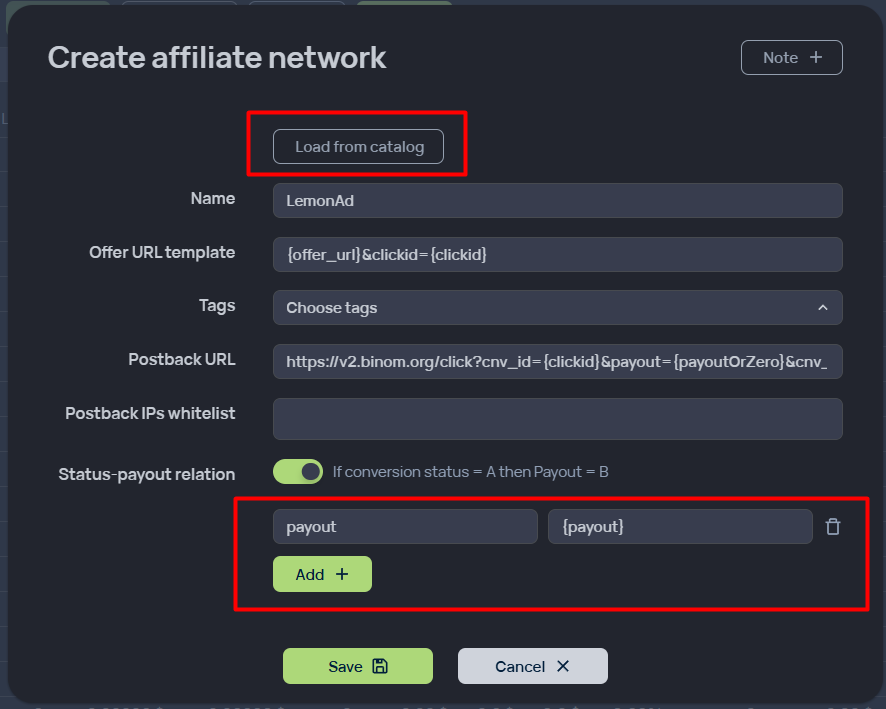
In the Aff. networks section, add a new network with the following parameters:
-
Click Load from catalog and select our LemonAd network. All parameters will be automatically selected.
-
Select Status-payout relation with the following values: payout - {payout}
Setting up a Binom postback in Lemonad
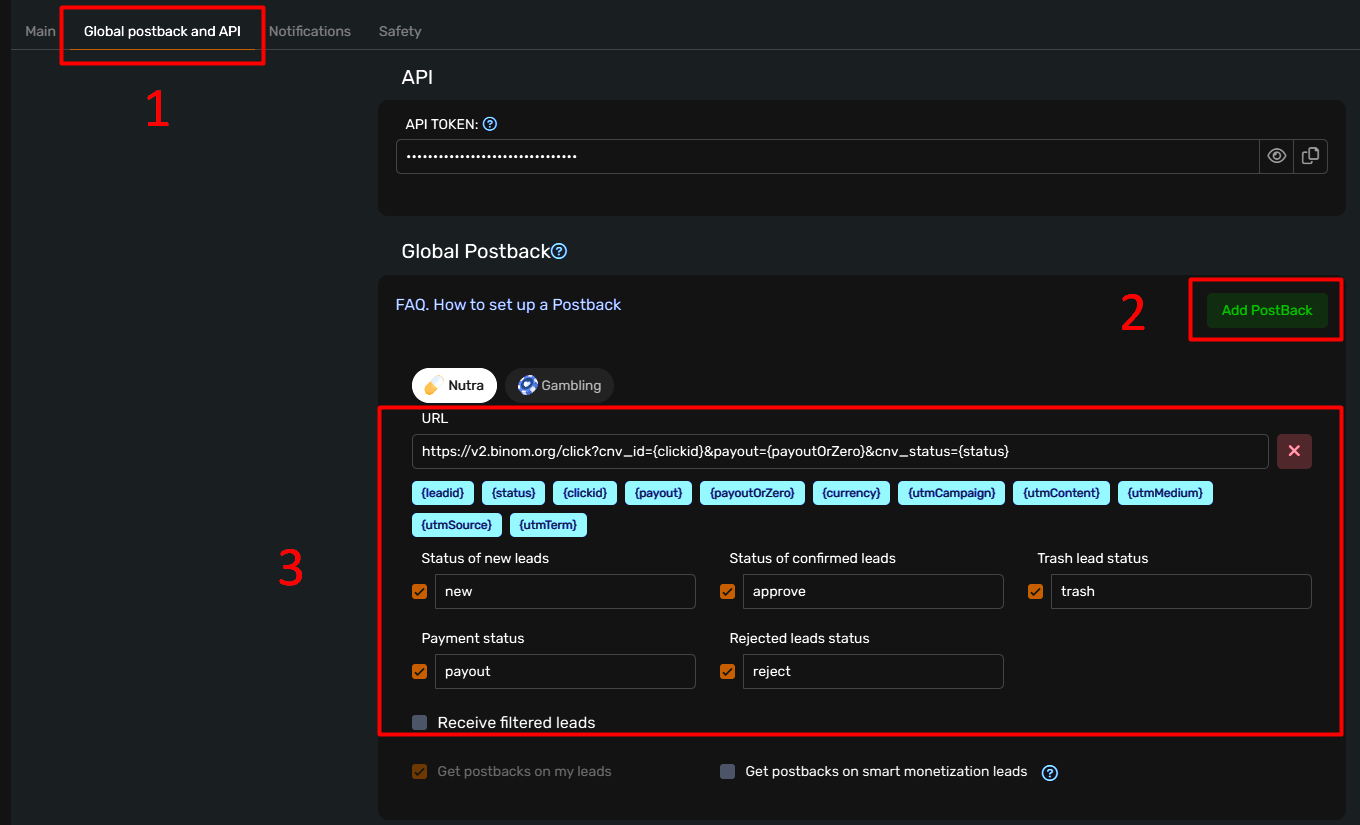
Go to your profile in your personal account.
In the "Global Postback and API" section, click "Add Postback."
The following fields must be filled in:
-
In the "URL" field: the link received from binom (see the previous section, the Postback URL field)
-
In the "New Lead Status" field: new
-
In the "Confirmed Lead Status" field: approve
-
In the "Trash Lead Status" field: trash
-
In the "Rejected Lead Status" field: reject
-
In the "Payment Status" field: payout
Click "Save"
Landing page setup
-
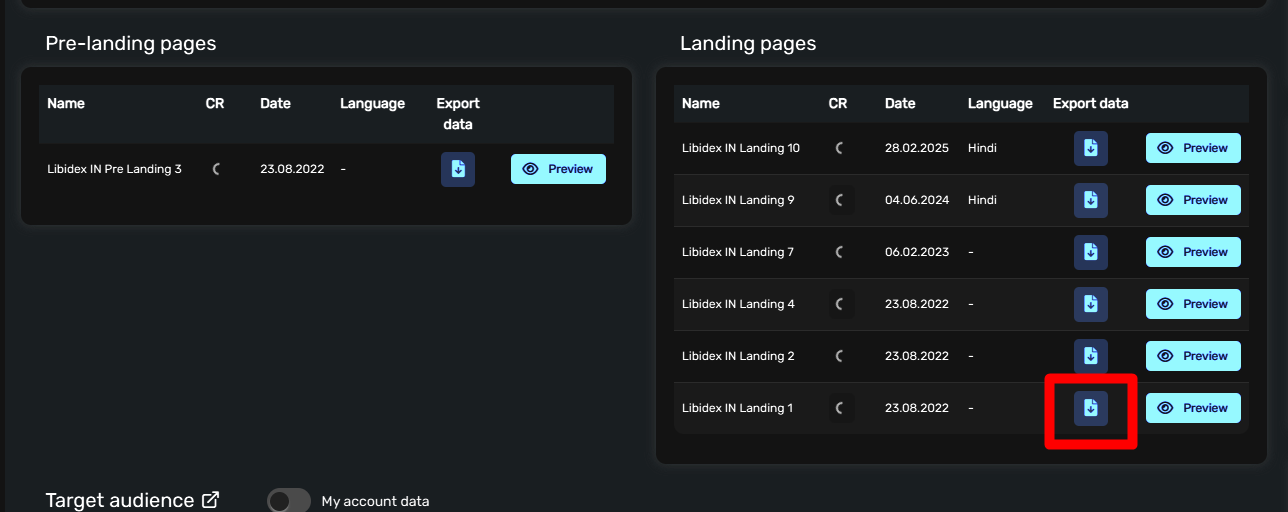
Download the desired landing page from the offer card
-
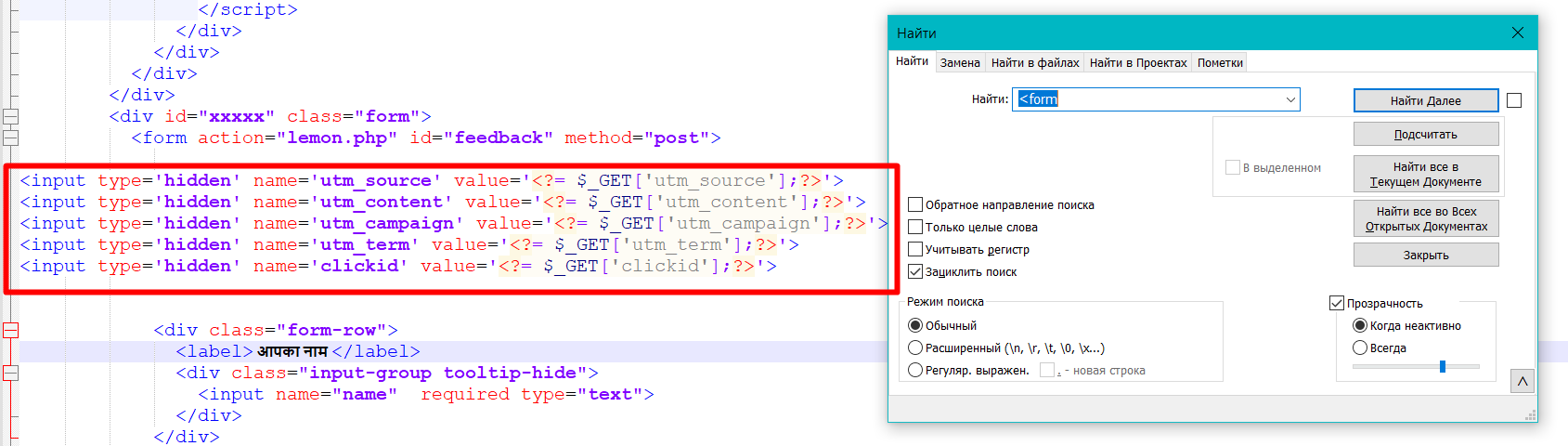
Open index.php with a code editor and find the <form> tag.
-
Paste the following code inside the form and save the file
<input type='hidden' name='utm_source' value='<?= $_GET['utm_source'];?>'>
<input type='hidden' name='utm_content' value='<?= $_GET['utm_content'];?>'>
<input type='hidden' name='utm_campaign' value='<?= $_GET['utm_campaign'];?>'>
<input type='hidden' name='utm_term' value='<?= $_GET['utm_term'];?>'>
<input type='hidden' name='clickid' value='<?= $_GET['clickid'];?>'>
Setting up a pre-landing page
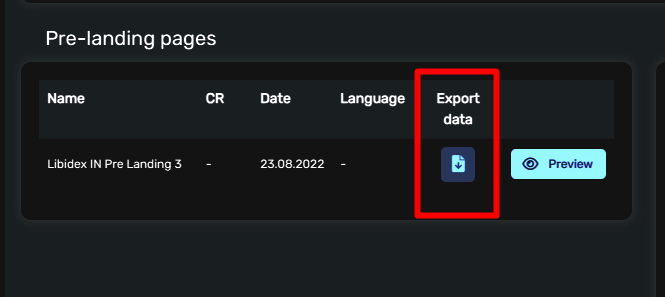
Go to the offer page in Lemonad and download the page you're interested in.
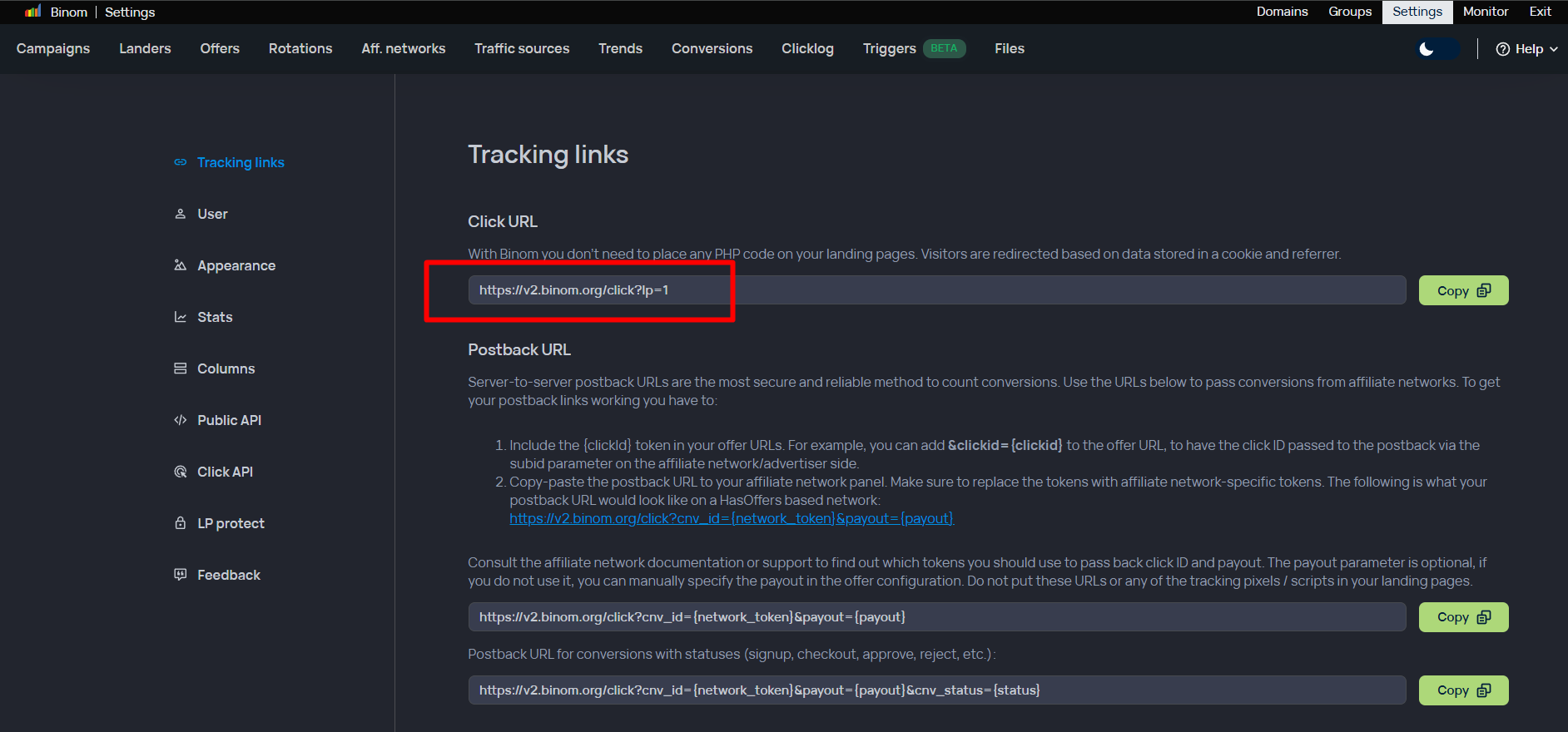
Go to Binom and copy the Click URL located at Settings => Tracking links => Click URL
Download the page you are interested in.
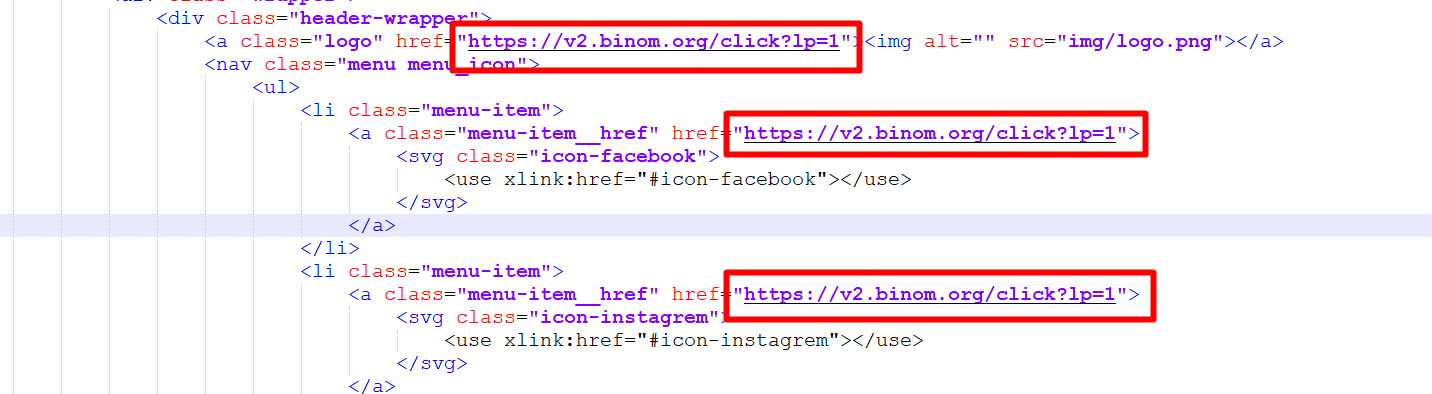
Open the index.php file in the code editor, in all links <a href=”#”>, replace # with the Click URL copied in the previous step.
Adding landing pages to the binome
Connect to your server via SFTP. You can use the Admin Panel or third-party programs.
Add the landing page to the public_html folder.
In Binom, in the Offers tab, add the landing page:
Enter the name
Domain, in the format https://domain/path_to_landing/index.php?clickid={clickid}
Select the LemonAd Affiliate Network.
Be sure to enable Click ID. Without it, the lead will not be sent to the tracker.
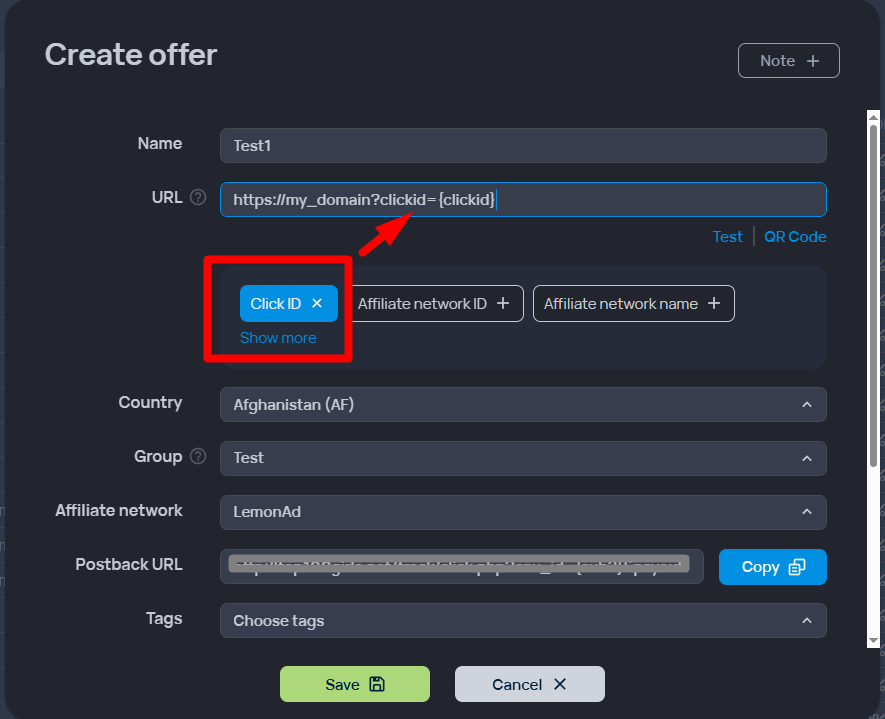
Adding pre-landings to the binome
Go to the Landings tab => Create
In the creation menu, enter:
Name
Path to pre-landing page
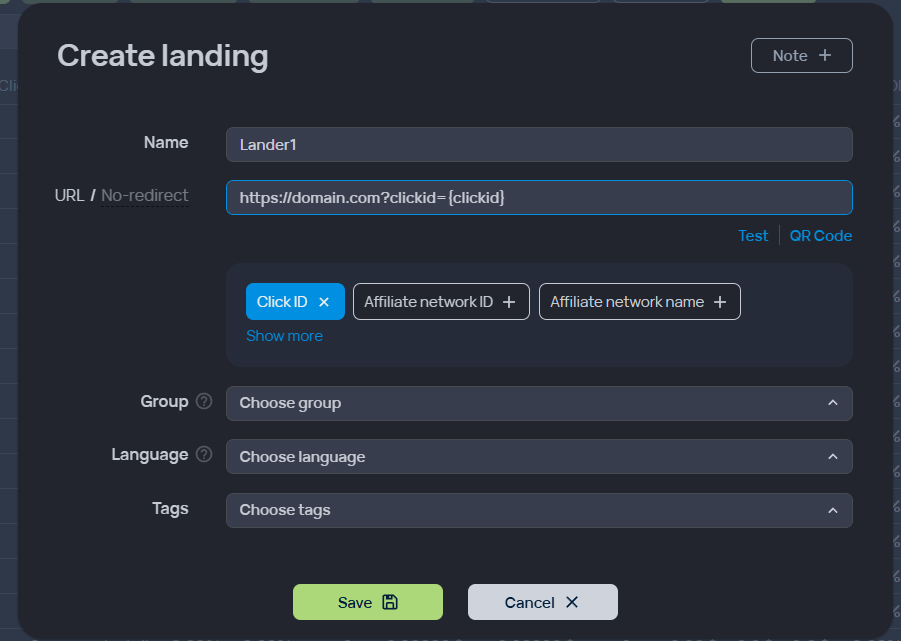
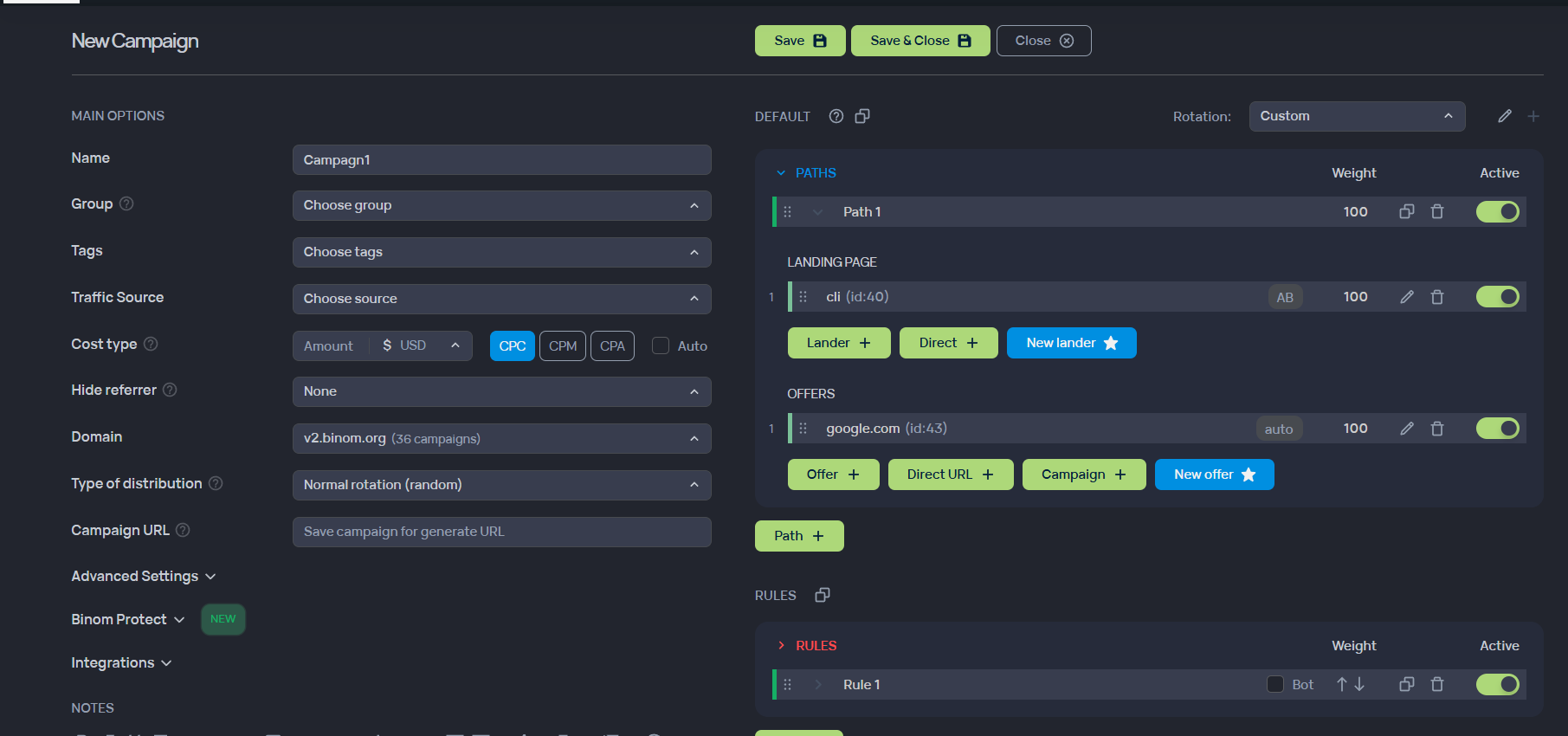
Creating a campaign
Go to the Campaigns tab => Create
In the campaign creation menu, enter:
Name
Traffic source
Type - CPA, Payout - Auto
Select a domain
Add the created landing pages and pre-landers