Step 1
Go to https://tagmanager.google.com, if necessary, sign in to your Google account.
Step 2
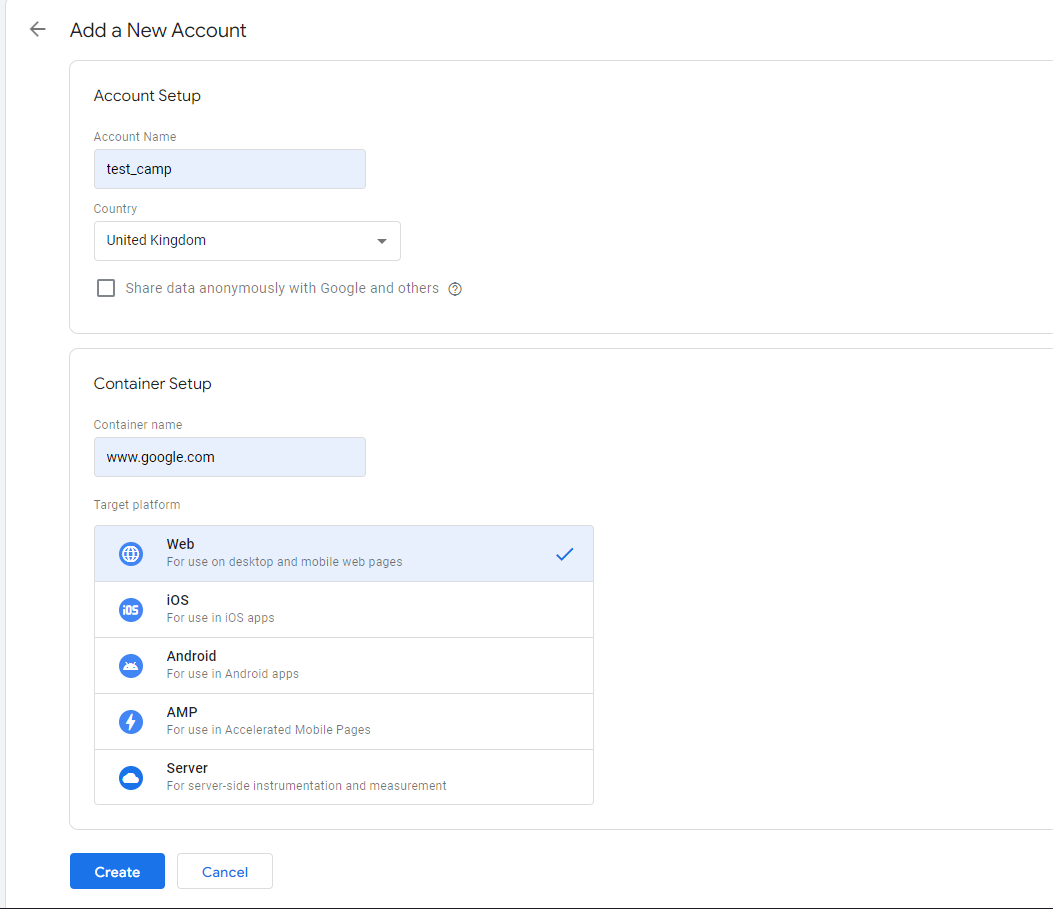
Create a new tracking account, enter a name, country and select a platform for tracking (in our case Website)
Step 3
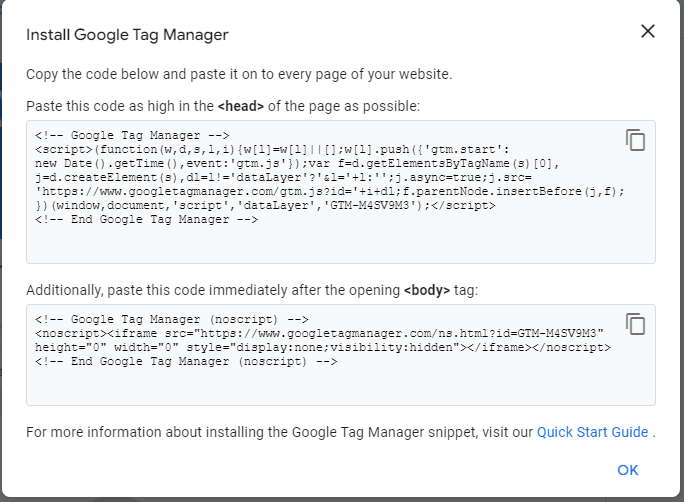
After creation, a window with a code will appear, it must be inserted into the landing, following the instructions
Step 4
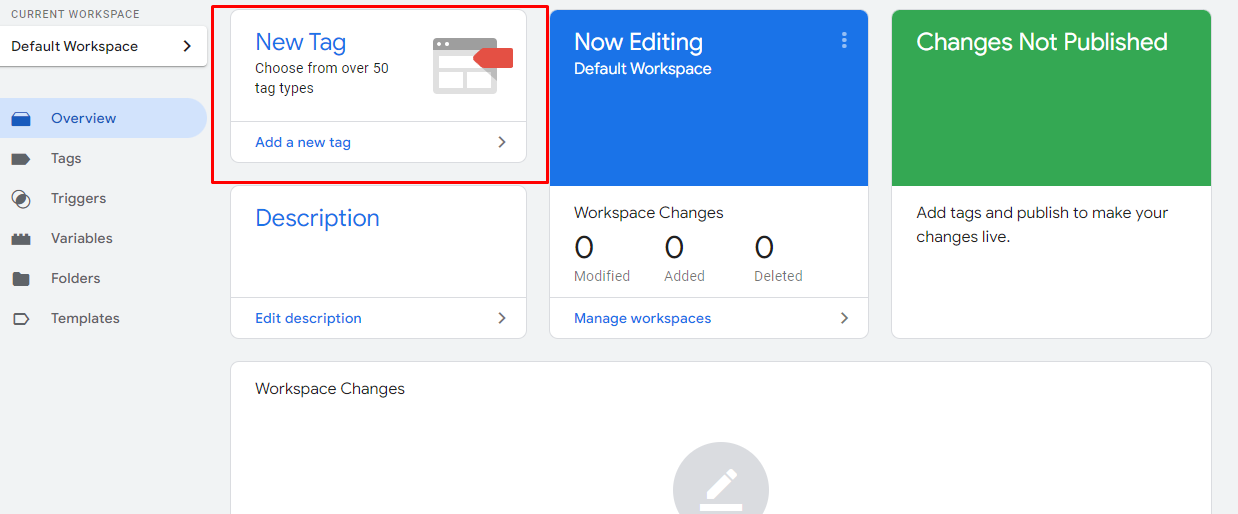
Add “new tag”
Step 5
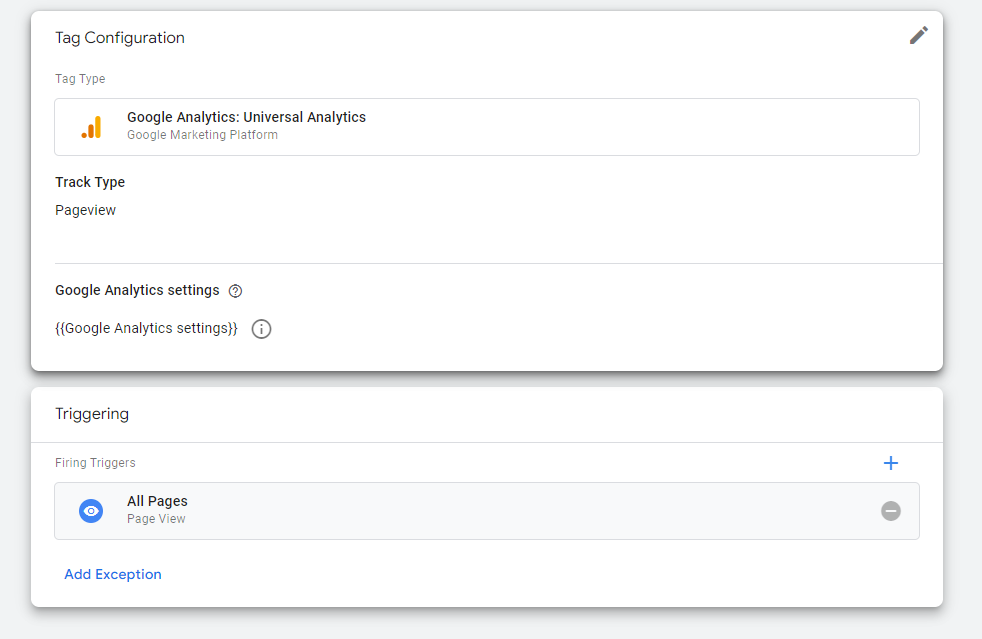
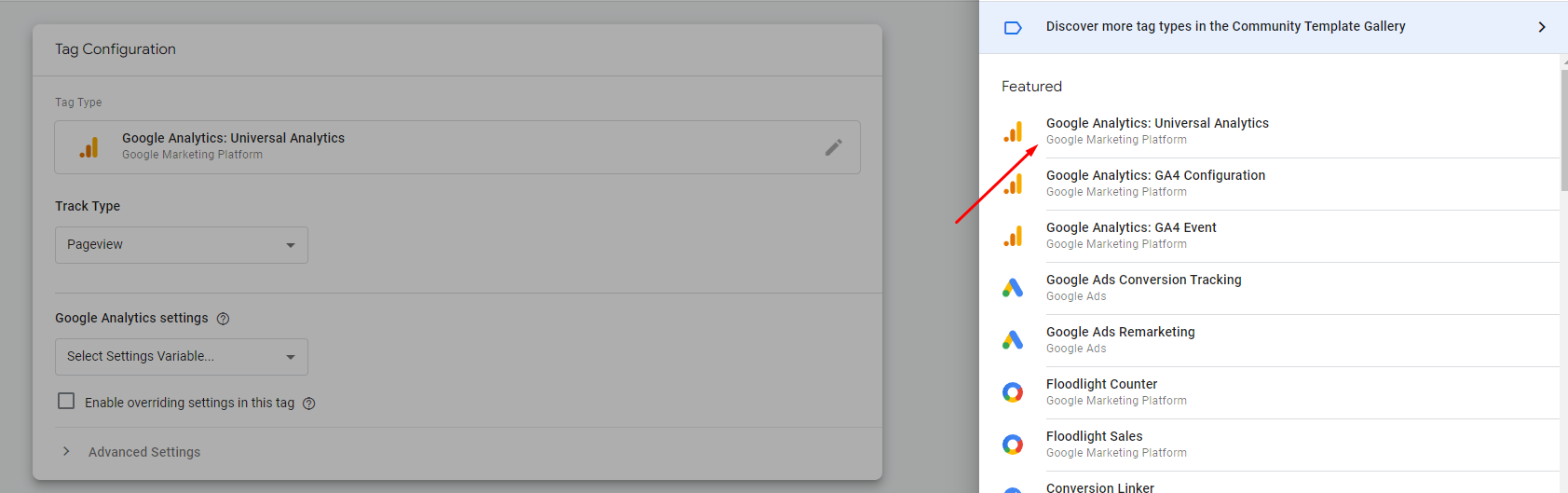
Select the required Tag, in this case we use the universal analytics tag
Step 6
Set the necessary parameters for tracking (set the type of tracking, set the trigger, create a variable)