
First method
On the stream creation page, enter the pixel ID.

If you want to transfer different pixels for different statuses, then fill in the LEAD and PAGEVIEW fields.
When using one ID for both statuses, you DO NOT NEED to fill in!!!
Second method
To pass a pixel ID to a URL:
-
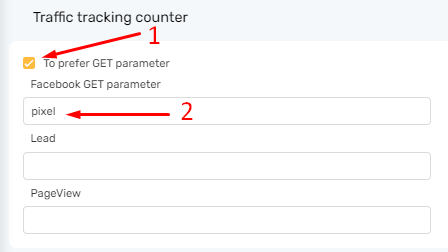
Select Get parameter and set variable name, save changes
-
Click on link constructor.

-
Set the pixel ID, it will be displayed in the finished link. Copy the link (data is not saved).
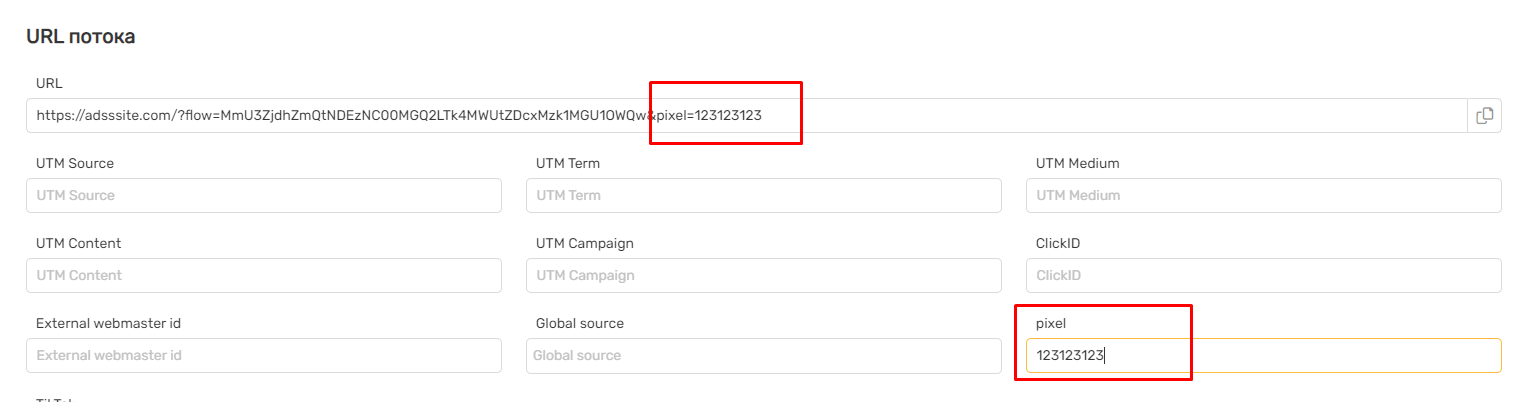
https://adsssite.com/?flow=FLOW&pixel=123123123